Introducing sandcastle
sandcastle is a sandbox tool for developers who want to use coding agents safely.
Motivation
One of the core factors limiting the effectiveness of coding agents is a lack of safety.
In theory, developers should be able to give coding agents ambitious tasks and trust that nothing bad will happen.
In practice, developers have a fuzzy mental model of what their coding agent can do — and for good reason: coding agents can piggyback on developers' own credentials and gain accidental access to systems.
With horror stories of coding agents deleting infra and production data fresh in their minds, developers often limit coding agents to simple tasks rather than trusting them with end-to-end tasks they'd give a human. Thus, in the real world, the bottleneck for AI productivity is often safety, not model quality.
Current coding-agent guardrails and safety measures are insufficient, enabling coding agents to take destructive actions and access malicious domains.
Claude Code
- With auto-mode turned on, Claude Code can read/write your entire filesystem and access any domain without permission
- Even with auto-mode turned off, Claude Code can still access any domain without permission
- Claude Code does come with a sandbox (
/sandbox), but auto-mode can bypass network restrictions
Codex
- Codex comes with a sandbox that claims to restrict its coding agent at a file-system and network level. You can add a "domain allowlist" in
config.toml. - However, Codex has read access to your entire filesystem
- Codex has a "Yes and don't ask again" feature. Commands in this list can access any domain. Thus, the "command allowlist" overrides the "domain allowlist"
Overview
sandcastle makes your experience with coding agents safe and predictable by replicating your coding environment in a sandbox in the cloud, while maintaining the same level of developer ergonomics that you expect with local development. Coding agents are restricted to the sandbox and permission boundaries are defined explicitly in config files and cannot be bypassed.
With sandcastle, developers can easily understand what their coding agent can and cannot do. Developers can trust agents to complete more complicated tasks end-to-end without fear of taking down production systems.
In a recent project, I launched sandcastle from my GitHub repo and gave it access to Vercel and Cloudflare via API tokens. My coding agent was able to build a site and deploy it in one prompt.
I was in full control the entire time:
-
I defined a limited set of domains that the coding agents could access
-
The Vercel and Cloudflare API tokens were minted with limited permissions, so my coding agents cannot take down important infra. My laptop has more broadly scoped Vercel and Cloudflare tokens lying around, but my sandbox coding agents are unable to access them :)
-
sandcastle also ensures that coding agents can use but not read API tokens: my coding agent called the Vercel API with $VERCEL_TOKEN and the API token was injected by the host, outside of the boundaries of the sandbox
Features
sandcastle is a CLI tool. Run it from your developer machine, in any GitHub repo:
sc start. This launches an AWS EC2 instance and runs a Docker container. Your
GitHub repo is cloned in the Docker container. The Docker container is set up such
that processes cannot break out of it. Your coding agents run in this Docker
container.
Even though the sandbox and its code are in the cloud, sandcastle lets you develop as if the code is local:
- talk to Claude Code / Codex and run bash commands from your terminal
- edit code with VS Code
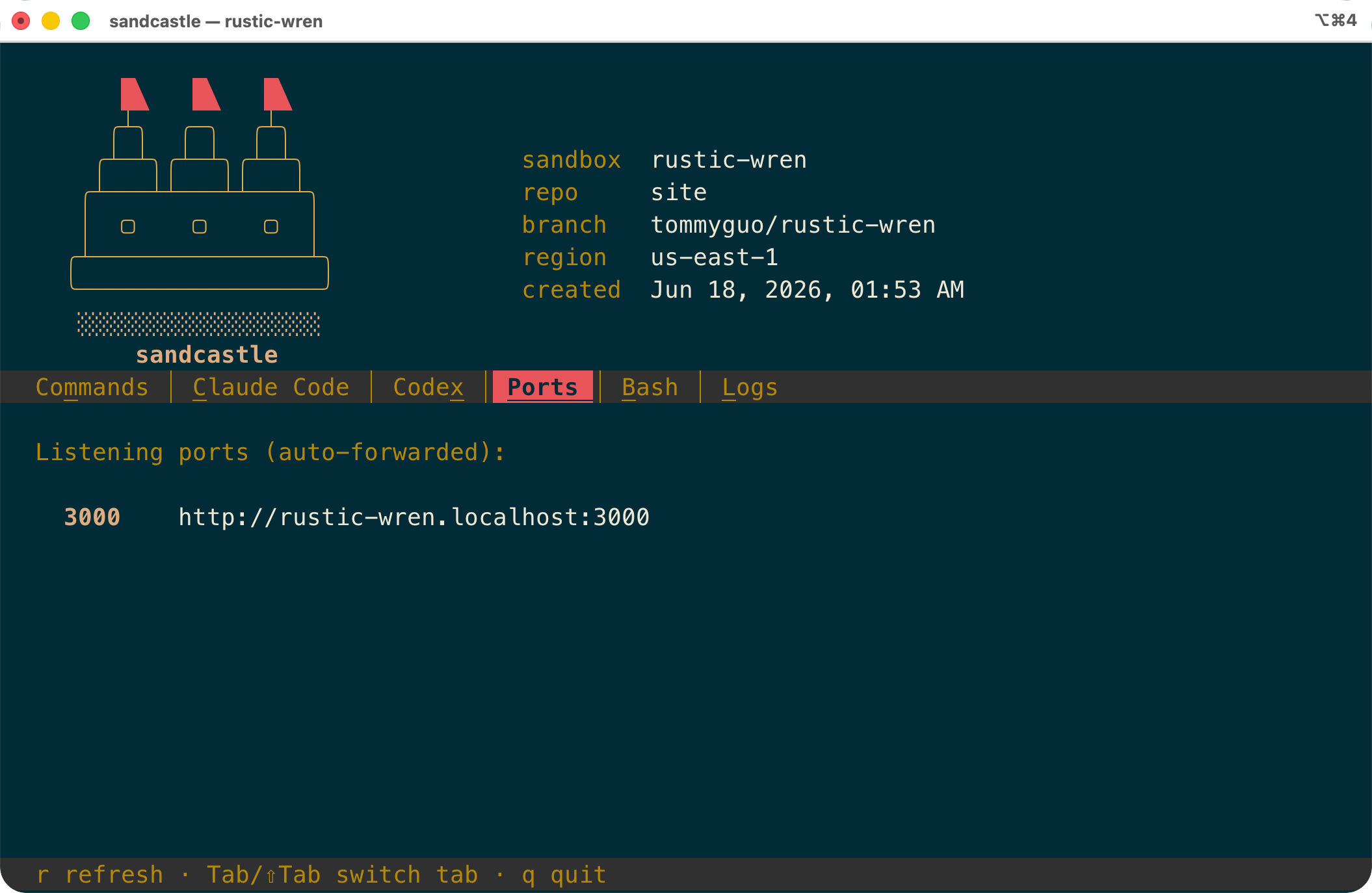
- you can even access the sandbox's ports!
sandcastle gives you a handy TUI where you can talk to Claude Code and Codex running in your sandbox, and more:
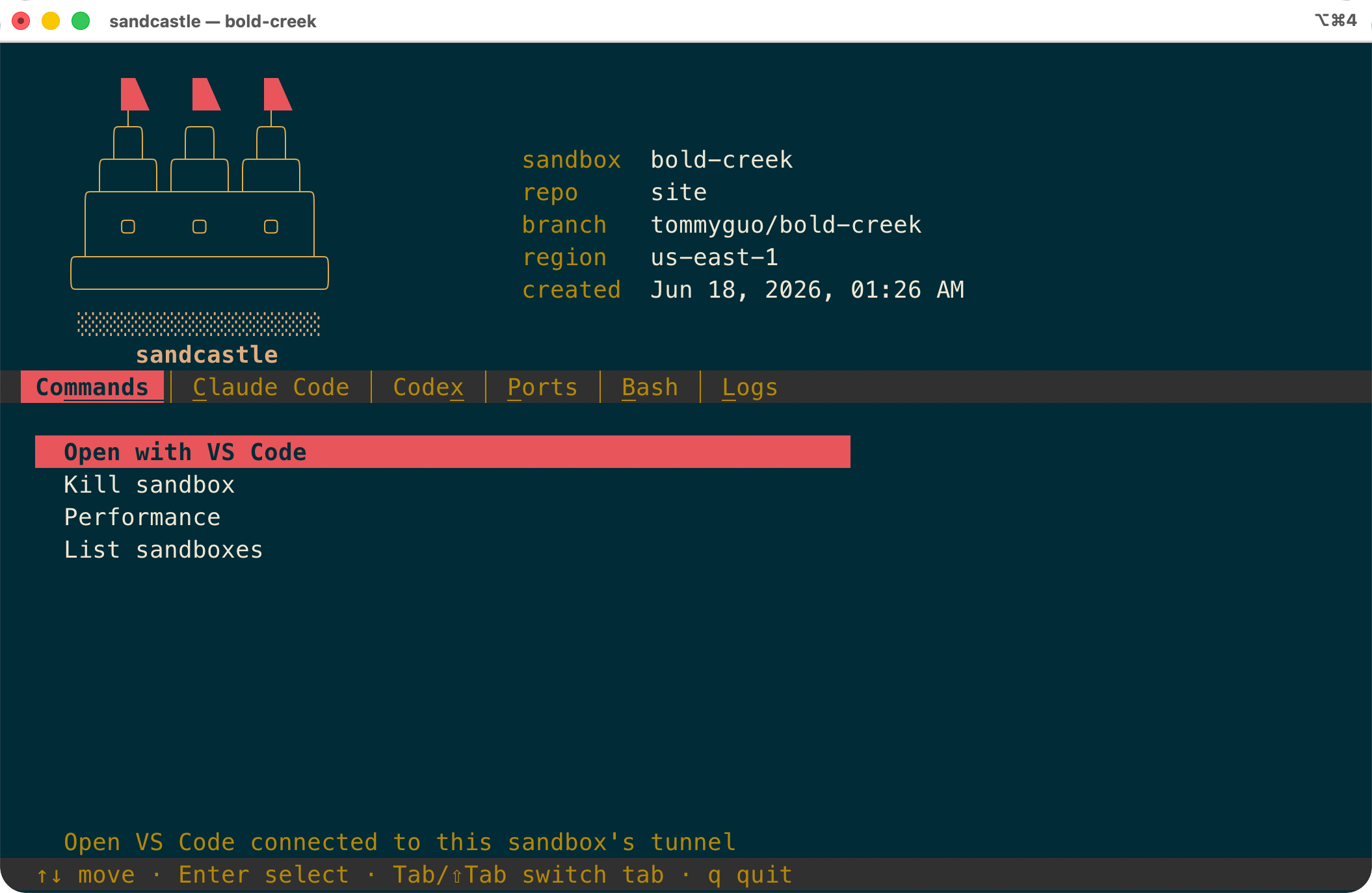
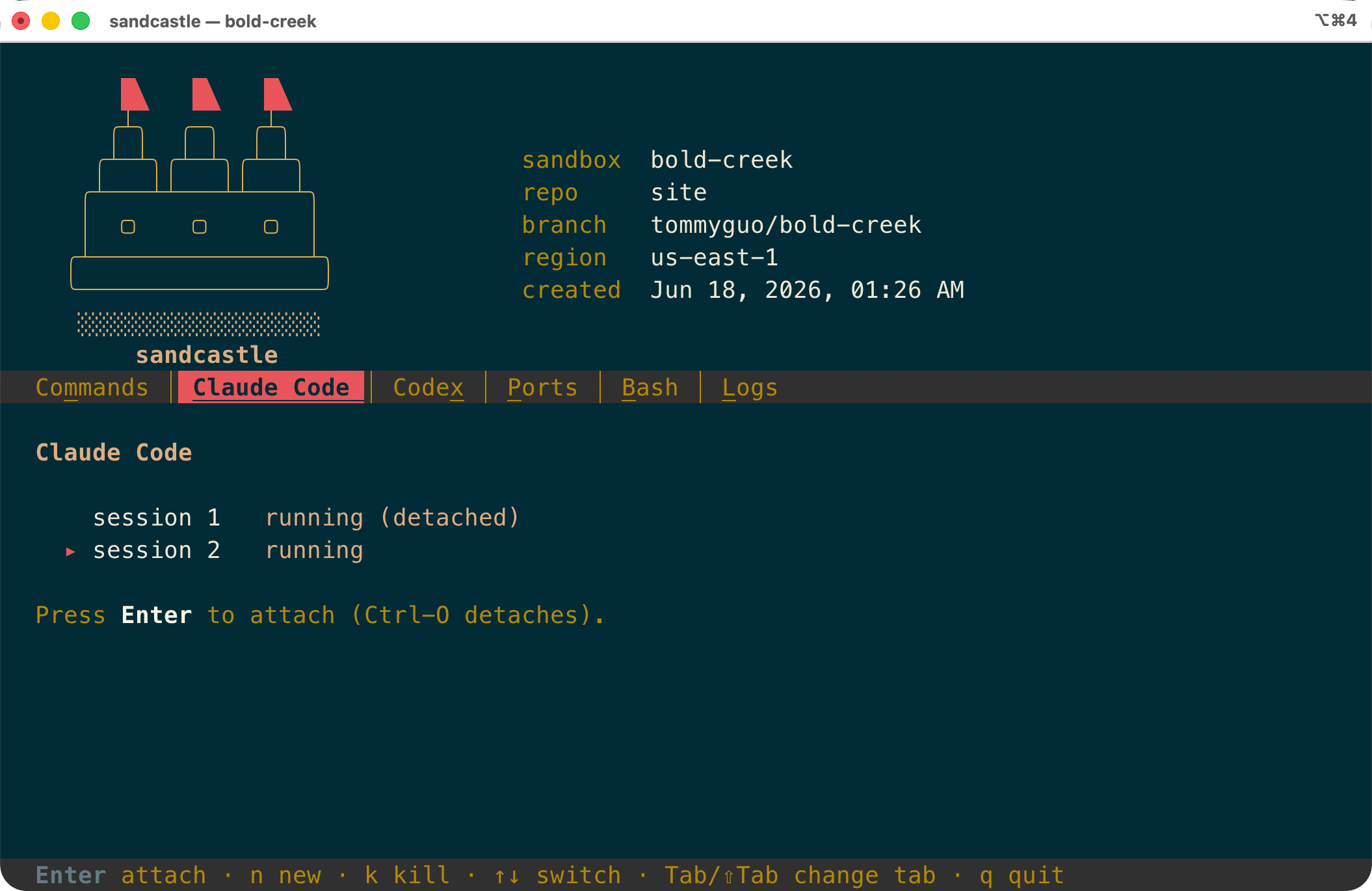
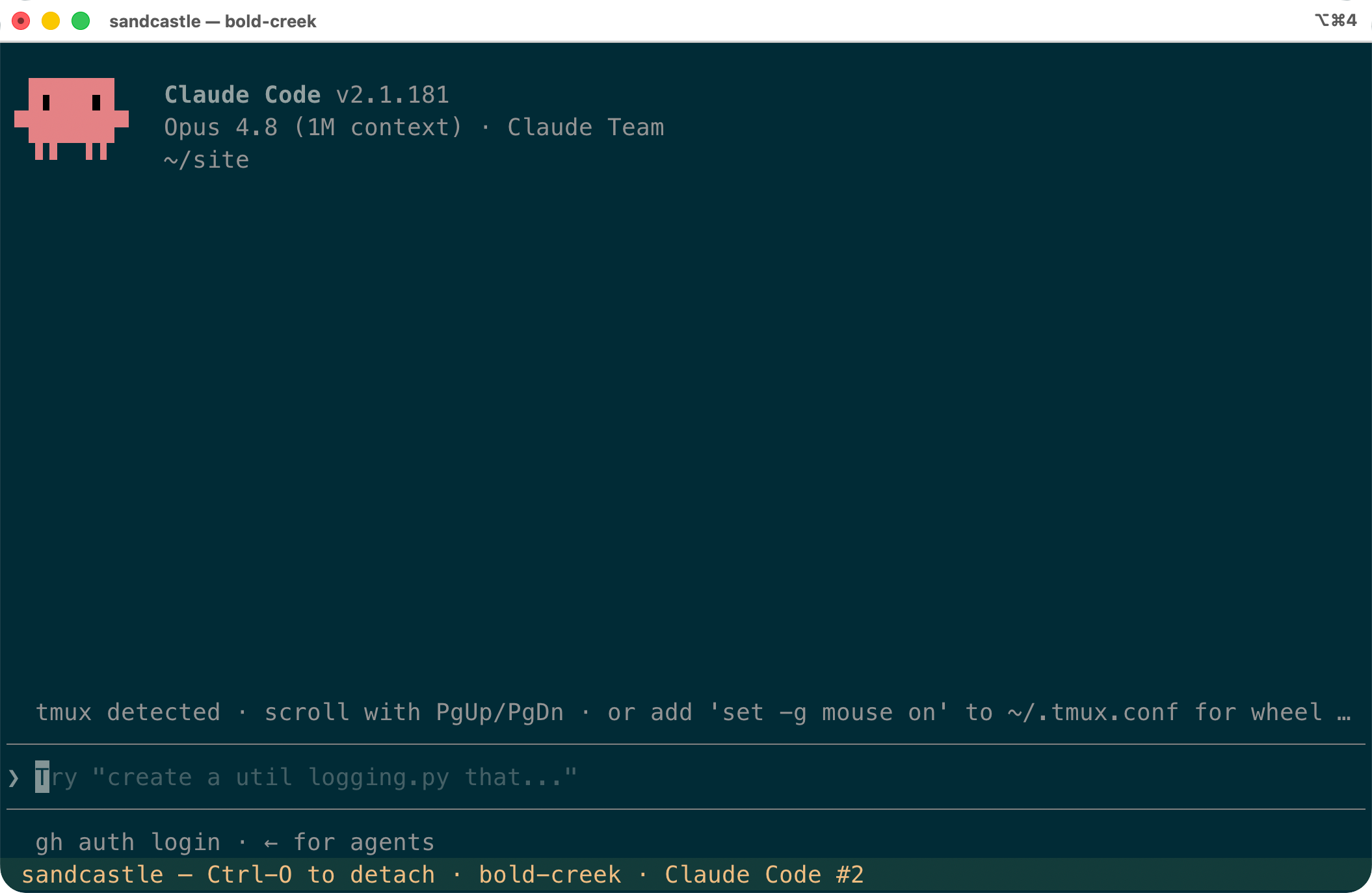
Some more neat features:
- sandcastle allows for parallel development. Each sandcastle instance of a GitHub repo is its own branch.
- sandcastle provides strong guarantees of file-system restrictions. Because the Docker container only contains the GitHub repo and processes cannot break out of the Docker container, coding agents cannot access any other files.
- sandcastle provides strong guarantees of network-level restrictions. You define an allowlist of domains. The sandbox's host blocks the container from accessing other domains:
# sandcastle egress allowlist — domains the sandbox container may reach.
#
# One domain per line; `#` begins a comment. Each entry also matches its
# subdomains (api.example.com is covered by example.com). Egress is enforced on
# the host: the container can reach only the domains listed here, so anything
# not present — npm, PyPI, apt, other APIs — is blocked until you add it.
#
# The baseline domains below are required by the bundled tooling (the Claude /
# Codex APIs, GitHub, the VS Code tunnel) and are always enforced even if you
# remove them. Add your project's own domains underneath.

anthropic.com
devtunnels.ms
github.com
githubusercontent.com
openai.com
visualstudio.com
vscode-cdn.net
vscode.dev

# added during sc start setup
debian.org          # apt mirrors: deb.debian.org, security.debian.org (unzip)
bun.sh              # the "curl https://bun.sh/install | bash" script
registry.npmjs.org  # bun install pulls packages from the npm registry
vercel.com
cloudflare.com
tommyguo.site
- sandcastle uses VS Code tunneling to allow you to manually edit code in the sandbox from VS Code on your laptop.
- sandcastle allows you to access your sandbox's ports. For example, if a website is running on port 3000 in your sandbox, you can open it with Chrome on your laptop. These URLs are namespaced by sandbox so you never run into port conflicts if you're running multiple sandboxes for the same project.
- sandcastle lets you hide sensitive API keys and env variables from your sandbox. The sandbox makes network requests with env variables whose real values are injected by the host. Your coding agent has no way of accessing your API keys.
VERCEL_TOKEN=vcp_123
CLOUDFLARE_TOKEN=cfat_123
Interested in sandcastle?
If you're interested in using sandcastle or chatting about it, please reach out to tommyguo97@gmail.com.